
LG webOS player troubleshooting
Separate an LG app-store problem from player activation, service login and playback.
Explore →Find device installation, player activation, playlists, programme-guide, networking, account and reseller support guidance.
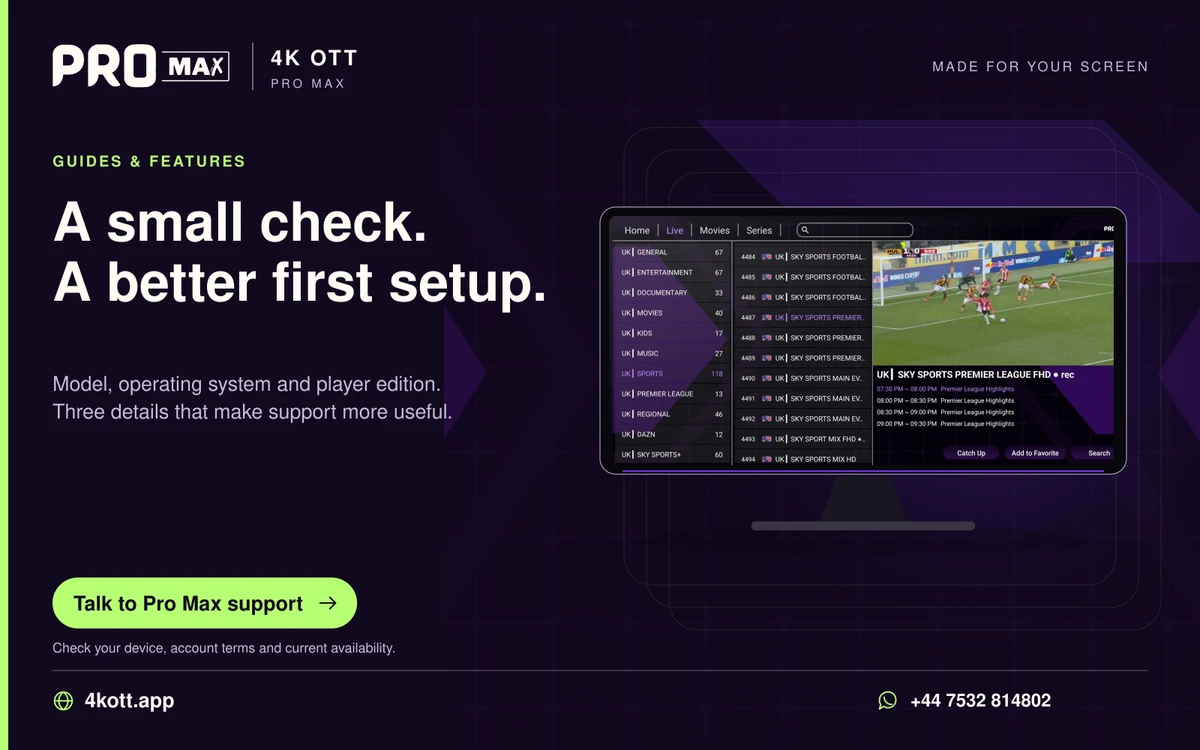
A useful guide starts with the screen, account or setting you need help with. Choose a collection below, or use site search for a particular error or technical term.
Separate an LG app-store problem from player activation, service login and playback.
Explore →Choose a Samsung TV application for the actual model, then keep the player and Pro Max account setup separate.
Explore →Understand a MAG receiver’s software family and the account method it needs before changing portal settings.
Explore →Separate receiver output, interface graphics and the format of the programme when adjusting a MAG setup.
Explore →Use readable subtitles, natural picture shape and a sensible audio path on an Android phone.
Explore →Compare 1, 3, 6 and 12-month Pro Max subscriptions with clear US dollar prices and WhatsApp ordering.
Explore →Install your player, then contact Pro Max 4K OTT on WhatsApp to request a one-day free trial and device-specific activation help.
Explore →Pro Max 4K OTT 1-month subscription for $9.99 USD. View the term, compare plans and prepare your WhatsApp order.
Explore →Pro Max 4K OTT 3-month subscription for $24.99 USD. View the term, compare plans and prepare your WhatsApp order.
Explore →Pro Max 4K OTT 6-month subscription for $39.99 USD. View the term, compare plans and prepare your WhatsApp order.
Explore →Pro Max 4K OTT 12-month subscription for $54.99 USD. View the term, compare plans and prepare your WhatsApp order.
Explore →Before paying, obtain a written confirmation of the final price, purchased period, simultaneous connection limit, payment recipient, activation process and applicable cancellation or.
Explore →All four published subscription options differ by purchased duration and total price. Choose a period after confirming the account limits and testing the actual device; a longer plan.
Explore →Use a trial to answer specific questions about your final device, player and connection. Record what worked, what failed and the confirmed account limits before purchasing a longer.
Explore →Download the supplied Pro Max Android APK, view version and compatibility information, and find verified player installation routes.
Explore →Explore original Pro Max app screenshots, live television navigation, movie and series browsing, plus Android download and activation help.
Explore →Find the TiviMate publisher route, installation choices and the difference between player activation and Pro Max service access.
Explore →Find the OTT Navigator publisher route, installation choices and the difference between player activation and Pro Max service access.
Explore →Find the VLC publisher route, installation choices and the difference between player activation and Pro Max service access.
Explore →Find the Smarters Pro publisher route, installation choices and the difference between player activation and Pro Max service access.
Explore →Find the IBO Player publisher route, installation choices and the difference between player activation and Pro Max service access.
Explore →Identify your Fire TV model and operating system before choosing a player. Android APK support differs between Fire OS and newer Vega OS devices.
Explore →Choose a setup route for Google TV, Fire TV, Apple devices, smart televisions, computers and set-top boxes.
Explore →Use a TV-compatible player from a trusted source and navigate it with the actual remote. Do not assume a phone-only app works well on a television.
Explore →Player activation and subscription login are different steps. A player licence unlocks software features; a service account supplies the confirmed access and connection allowance.
Explore →The right player matches your operating system, account format and controls. Compare those requirements before paying for software or entering credentials.
Explore →Casting from a phone and installing a player on a Google TV device are different workflows. Confirm which hardware and player feature you intend to use.
Explore →Choose a device by confirmed app support, account format, decoding, controls and network connections. A model name or advertised maximum resolution alone does not prove a compatible.
Explore →Compatibility is a combination of device operating system, available player, accepted account format, decoding and network conditions. A device-family name alone does not prove a.
Explore →Enigma2 configuration depends on the receiver image and chosen plugin. Use documented methods for that image and protect any playlist credentials.
Explore →Choose a player whose current App Store listing supports the exact Apple device. iPhone, iPad and Apple TV support are separate publisher decisions.
Explore →Choose a player supported on the installed macOS version and hardware. A Windows or Android installer is not a macOS installation route.
Explore →MAG and Formuler devices can use different interfaces and account methods. Confirm the exact model and the provider’s intended portal or player setup.
Explore →Prepare the final viewing connection, reduce avoidable household load and compare actual playback under normal conditions. Network preparation is a diagnostic process, not a promise of.
Explore →Use a television-oriented player supported on the device’s software. Test remote controls and decoding on the actual source rather than assuming every format plays.
Explore →Confirm a current Roku-supported application and its account method before buying access for a Roku device. An Android APK supplied on this site is not a Roku installation route.
Explore →Set up the chosen player on the intended device, use the account method confirmed by support, then test playback and the connection limit. Installing a player does not create.
Explore →Identify whether the television uses Tizen, webOS or another operating system before selecting a player. Model and region can change store availability.
Explore →Use a trusted Windows player and confirm that it accepts the account format. Keep credentials out of shared screenshots and saved files accessible to other users.
Explore →Device illustrations and reference photographs for choosing the right operating-system route.
Explore →A practical guide to series browsing, seasons, episodes, watchlists and keeping your place in a programme.
Explore →Explore the Pro Max app layout, subscription choices, device guidance, support and practical viewing tools.
Explore →Answers about Pro Max subscriptions, one-day trials, APK downloads, reseller credits, devices, player activation and support.
Explore →Contact Pro Max 4K OTT on WhatsApp for trial requests, subscriptions, reseller enquiries and device setup help.
Explore →Estimate decimal gigabytes from bitrate and viewing time. Useful for planning data-capped home and mobile connections.
Explore →Estimate shared household bandwidth from stream count, bitrate and other traffic, with a clearly stated planning allowance.
Explore →A working 4K setup needs an available 4K source, compatible decoding and display, and sustained network delivery. The Pro Max 4K OTT brand name is not a guarantee that every item meets.
Explore →Keep the confirmed subscription period, expiry and concurrent connection allowance in a private record. Device installation count and simultaneous playback allowance are different.
Explore →Keep account passwords, tokenised playlists, panel logins and device-registration details private. If a credential is exposed, use the verified recovery or support route to replace it.
Explore →First determine whether the audio delay affects one item, every item or only an external sound system. Compare the same item with the TV speakers before changing delay controls.
Explore →Diagnose buffering by changing one variable at a time: source, account usage, device, player and network. A high speed-test result alone does not prove a stream will play without.
Explore →Ask support to confirm the categories and specific items available for your order. This website does not publish a verified current channel, movie or series count or a guaranteed event.
Explore →H.264, H.265/HEVC and AV1 are video codec families. Playback requires support for the actual codec and source characteristics in the chosen player and device; a codec name alone does.
Explore →Content availability must be confirmed for the actual account and intended region. A list of interests, a saved favourite or a logo on a website does not guarantee an available stream.
Explore →A useful support request states the exact problem, scope and comparison result. “Not working” does not distinguish an account, player, source or network failure.
Explore →An EPG is programme schedule information supplied for supported items. Catch-up is replay of selected past programmes within an available window. Having guide data does not mean replay.
Explore →A wired Ethernet comparison can help distinguish Wi-Fi problems from account, player or source problems. It is useful only when the device and router support the connection and the.
Explore →HD, Full HD and 4K are resolution categories; they do not by themselves describe bitrate, source detail, colour quality or playback stability. The actual source and device conditions.
Explore →Evaluate international categories by the actual programme, language track, subtitle and time-zone behaviour you need. Country flags or category names do not guarantee a particular.
Explore →Playback needs sustained delivery for the actual source bitrate, plus enough capacity for other household traffic. This website does not publish a universal Mbps requirement for every.
Explore →Check actual content and the selected player’s controls before using a setup for children or shared family viewing. A category label alone is not an age-suitability guarantee.
Explore →Prepare the device and network before the event, then confirm whether the actual event and source are available. A sports logo, EPG entry or generic category does not guarantee an.
Explore →When credentials are rejected, first confirm the account is active and that the selected player login method matches the values supplied. Repeated reinstalls cannot fix an expired.
Explore →An M3U playlist is a list of media references. A playlist URL can contain account tokens, so treat the complete URL like a password and use only the private values supplied for your.
Explore →Evaluate on-demand availability using the actual title, language, playback and account conditions. This website does not publish a verified movie or series count.
Explore →Plan concurrent viewing by the account allowance confirmed for the order. Saving an account on several devices does not automatically authorise simultaneous playback on all of them.
Explore →Confirm the news items and language tracks available for your account. A category name or displayed broadcaster logo is not a guarantee of a particular feed or editorial viewpoint.
Explore →Use the parental controls actually provided by the selected player and device. Hiding a category or adding a PIN can help navigation, but no interface setting guarantees that every.
Explore →Confirm the order details and recipient through the website’s published contact before sending payment. The form on this site prepares a WhatsApp inquiry; it does not verify a payment.
Explore →Playlist URLs, separate server credentials and device portals are different account methods. Use the method confirmed for the account and supported by the player; they are not.
Explore →Picture quality depends on source quality, bitrate, decoding, display settings and network delivery. A resolution label or a 4K television does not prove an individual stream contains.
Explore →Confirm the existing account, current expiry, renewal period and final price before paying. A renewal should follow the provider’s supported process rather than creating an unintended.
Explore →This website does not provide a live service-status monitor. Use the published support contact to confirm whether a reported problem affects the service, a particular source or your.
Explore →A player can select only audio and subtitle tracks supplied for the chosen item. An app preference does not create a missing language track or subtitle file.
Explore →Contact support on WhatsApp at +44 7532 814802 or by email at [email protected]. Include the device, player version, exact symptom and checks already tried; keep credentials.
Explore →Confirm the account’s region, device and network conditions before travelling. A setup working at home does not prove that access, available content or player licensing transfers.
Explore →Start with the actual symptom and compare one variable at a time. Account status, source availability, player decoding and the network can produce similar-looking problems.
Explore →Test Wi-Fi on the actual viewing device and location. Signal strength, obstacles, neighbouring networks and household load can change playback even when a speed test briefly reports a.
Explore →International setup depends on the device, player, account, network, language preferences and the availability confirmed for the intended region. No single setup page proves that every.
Explore →Some players accept a server address, username and password as separate fields. Use this method only when the provider has supplied those values and the chosen player supports that.
Explore →Explore country-by-country viewing notes, language preferences and programme-guide time settings for an international Pro Max household.
Explore →Original Pro Max screens: home navigation, live categories, movies, series and player controls.
Explore →Football, motorsport, basketball, American football, baseball and hockey artwork used in the viewing guides.
Explore →A closer look at the film, series and broadcaster artwork supplied for the viewing guide.
Explore →The supplied viewing scenes and interface illustrations used to introduce streaming topics.
Explore →Browse all 124 Pro Max cards, including subscription boxes, reseller pricing, sports, OTT artwork, app screenshots and country themes.
Explore →Compare Starter, Growth, Professional and Enterprise reseller packages: 10, 25, 50 and 100 credits from $228.90 USD. View prices and credit usage.
Explore →Starter includes 10 Pro Max reseller credits for $228.90 USD, at $22.89 per credit. View credit usage and order details.
Explore →Growth includes 25 Pro Max reseller credits for $547.50 USD, at $21.90 per credit. View credit usage and order details.
Explore →Professional includes 50 Pro Max reseller credits for $1024.50 USD, at $20.49 per credit. View credit usage and order details.
Explore →Enterprise includes 100 Pro Max reseller credits for $1899.00 USD, at $18.99 per credit. View credit usage and order details.
Explore →Calculate an allocation’s credit cost using the published Pro Max unit rates. Keep gross difference separate from profit.
Explore →POLICY AND RESPONSIBLE USE
Explore →A reseller plan needs confirmed wholesale terms, a credit cost model, an honest customer offer and enough support capacity. A panel package alone does not establish a viable business.
Explore →Reseller credits are units held in a panel balance. The price of a credit and the number of credits deducted for a customer action are separate facts; both are needed to calculate cost.
Explore →Describe the service you can actually deliver: confirmed plan periods, prices, connection limits and supported setup routes. Avoid treating a resolution label, channel logo or app.
Explore →A customer handover should identify the purchased period, confirmed connection limit, setup method and support route. Keep account credentials private and separate from general.
Explore →Use a reseller panel to perform the supported customer-account actions, then reconcile the credit balance and expiry. Available menus and permissions depend on the panel account; this.
Explore →Collect the smallest useful diagnostic record before escalating a customer problem: device, player version, affected item, time, exact symptom and checks already tried. Keep passwords.
Explore →A subscription purchases access for a confirmed period. A reseller package purchases credits for supported panel actions. Buying player software is a third, separate transaction.
Explore →How this static website handles order enquiries, search, external links and the information you choose to send to support.
Explore →Our approach to clear setup guidance, primary sources, commercial references, corrections and source limitations.
Explore →The operator-selected service reference list, plus practical questions for comparing plan terms and support routes.
Explore →Pro Max 4K OTT publishes IPTV subscription plans, reseller credit packages and player setup information at 4kott.app. The website provides an order request through WhatsApp; it does.
Explore →POLICY AND RESPONSIBLE USE
Explore →POLICY AND RESPONSIBLE USE
Explore →POLICY AND RESPONSIBLE USE
Explore →POLICY AND RESPONSIBLE USE
Explore →POLICY AND RESPONSIBLE USE
Explore →POLICY AND RESPONSIBLE USE
Explore →POLICY AND RESPONSIBLE USE
Explore →POLICY AND RESPONSIBLE USE
Explore →POLICY AND RESPONSIBLE USE
Explore →Download the Pro Max mark, logo variants and matching favicon artwork used on the 4kott.app website.
Explore →Install your player, then message us for a one-day Pro Max 4K OTT free trial. Start on the device you use every day.